Admin UI
Administrators are defined by admin.shared.id / $ADMIN_SHARED_ID and get the following extra control elements. On a device with a mouse, the controls below a comment appear when the pointer is over that row.
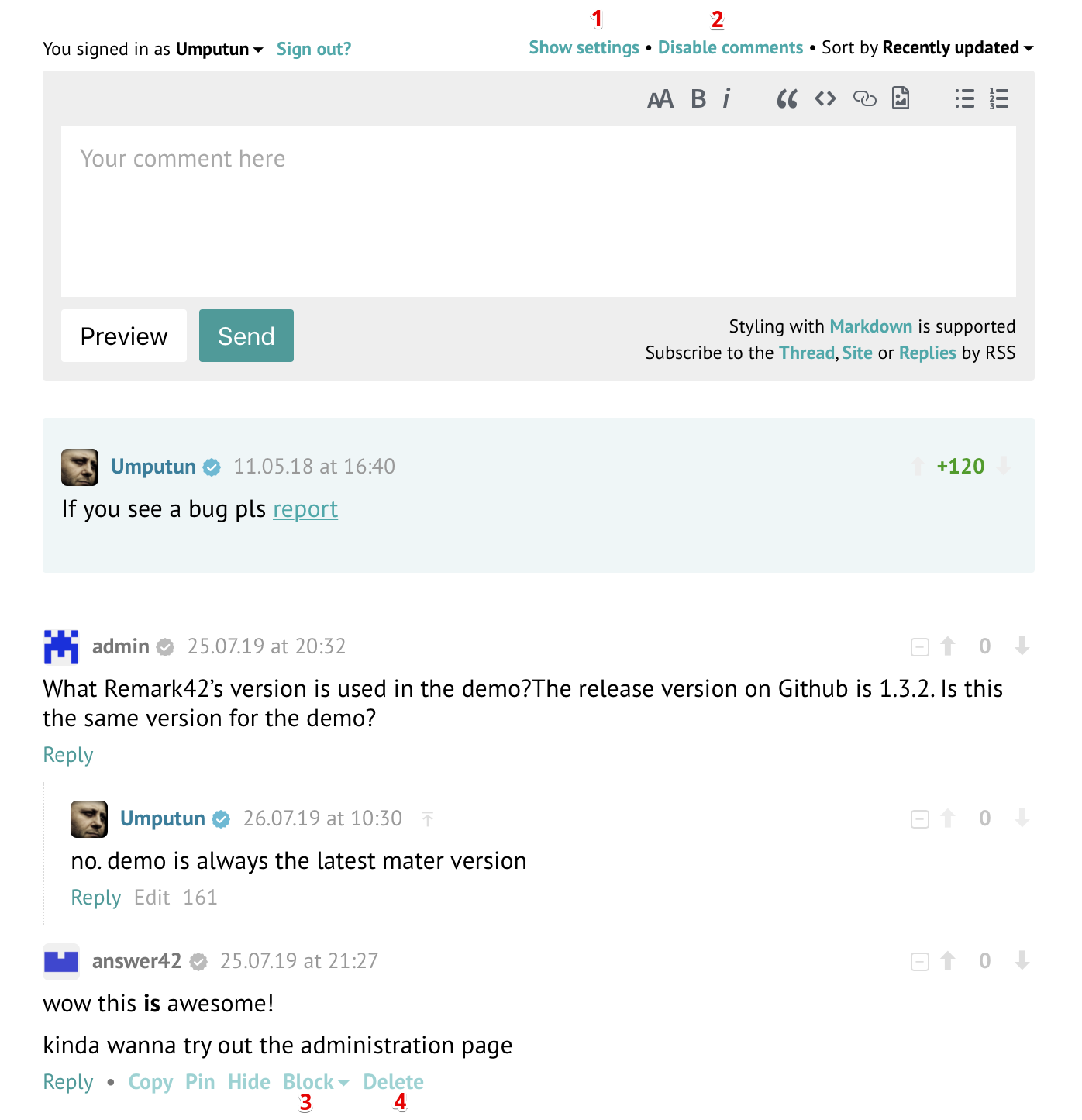
Show settings: lists of hidden and blocked users. A blocked user can be unblocked from the list. Hidden users are every reader's own: any reader can hide a user with Hide user under a comment, and the list is kept in that reader's browser.

Disable comments for the post. Nobody can comment or vote on a disabled post, administrators included. Enable comments turns them back on, unless
READONLY_AGEis set and the post's first comment is older than that many days.Block a user permanently, for a month, a week or a day. A blocked user cannot post, edit or vote, and their comments are marked Blocked. A permanent block also deletes all of the user's comments. Unblock under the user's comment, or in the settings, lifts the block; it does not bring back comments deleted by a permanent block.

Delete a comment. A deleted comment that has replies stays in the thread as "This comment was deleted", so the replies keep their place; one without replies disappears.

Pin a comment. A pinned comment is also shown above all the others; Unpin removes it from there.
Copy a comment. Copies the author's name, the time and the text of the comment.
Verify a user. Administrators see a grey mark next to the name of every user who is not verified; clicking it verifies the user, and clicking the blue mark of a verified user removes the verification.
Blocking, unblocking, deleting, pinning, unpinning and verifying ask for confirmation first.